

Welcome to the 1,246 of you who have joined us since our last newsletter, it’s great to have you! P.S. Can you believe the Claude MBA dropped 10 weeks ago today? I never could have predicted where we’ve ended up now. Remember, crazy things happen when you put yourself out there - go and do something that scares you today.
Enjoy this week’s newsletter. I think it’s going to change a lot for you.
I’ve grown around 24,000 followers across Instagram and Substack in six weeks building this brand part-time. The honest answer when people ask how is that I have a very good system. And the part of that system I get asked about least, which does the most work, is Claude Skills.
But all I’m seeing on social media these days is AI hype. And it’s killing me.
So I’m writing this sitting outside at a coffee shop on the Gold Coast. There’s a guitarist in the corner. I’ve been here for two hours. But I’ve barely looked up, because what I’m working through right now is the thing I’ve been most excited to write in this whole Claude MBA series.

I’ve been living inside Claude skills for weeks, building my team of AI employees that, as a solopreneur, is saving my life - a researcher, a newsletter editor, a content repurposer, a brand deal manager.
It’s far less complicated than you think. And I’m about to download all of it into your brain in one sitting.
This is everything you need to know about how skills actually work. What they do, the three methods to create them (including the one I recommend every time), and how they can change the way you use AI entirely. I’ll also share the top 5 skills I use on a daily basis to build this brand as a part-time creator.
Most people will keep downloading random files from strangers on the internet. They’ll live and die not understanding the feature that can honestly change their entire business and brand.
Not you though.
This is Issue 7 of the Claude MBA Series - a practical guide to help you build with Claude, not just learn about it.
Know someone who could use non-hype AI education?
Skills101: My favourite feature to ever drop
Let’s start simple.
Since ChatGPT graced us with its presence in November 2022, prompts have been the default unit of working with AI (basically the Harry Potter to Daniel Radcliffe - you don’t think of one without the other).

I used to spend fifteen minutes writing out these essay-like prompts with six different parts because I thought that’s what I needed to get AI to actually work properly. And for a while that felt like enough.
But it came with a set of frustrations I suspect you know well:
Finding that same 400-word prompt you wrote months ago, buried in a chat or prompt bank or note you’ve since lost track of
Manually running multi-step workflows because there was no way to save the process, only the output
Getting a different result with the same prompt and spending an hour editing your way back to something usable
All of which eventually added up to the same conclusion. AI takes more time and energy than just doing the task myself.
But 6 months ago that all changed.
On the 16th of October 2025, Anthropic released skills.
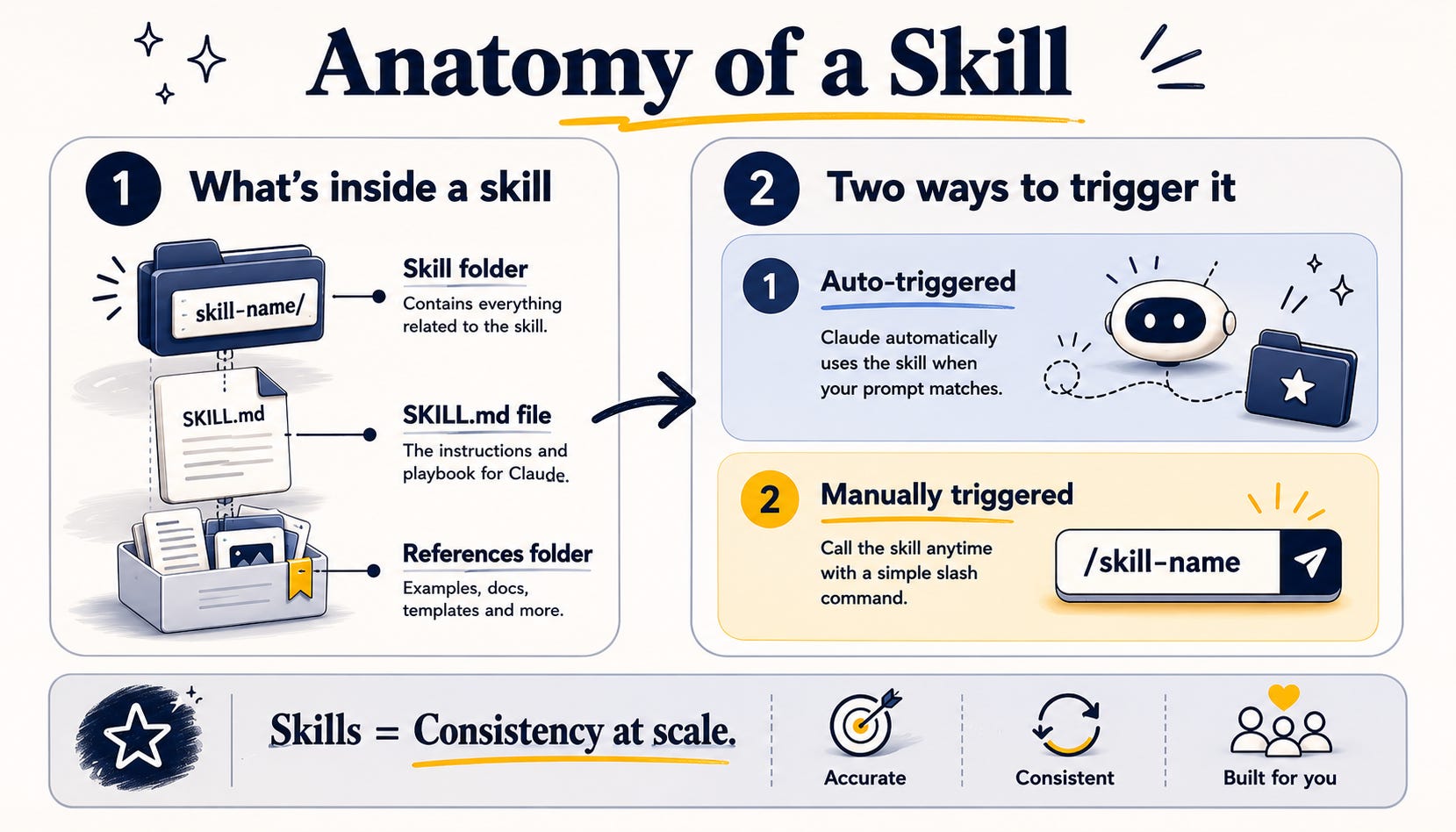
A skill is essentially an ultra-powered prompt, but instead of one you retype every session, it’s:
Packaged into a
/command you call anywhere in Claude Chat, Cowork, or Claude CodeGiven specific reference materials relevant to the task
Applied consistently across every session, without you having to re-explain a process you’ve explained a hundred times
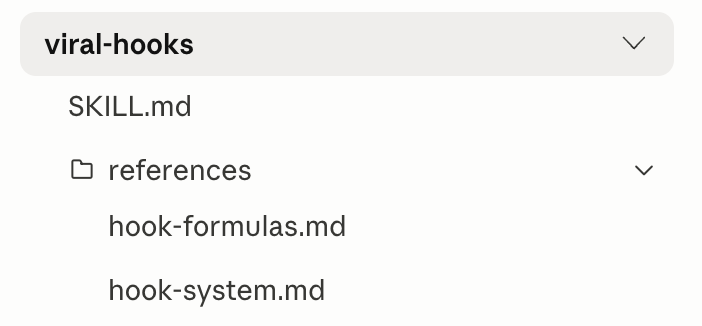
In practice, a skill is a folder with two things inside: an instruction file (SKILL.md) and a references folder. That’s the whole structure.
Before skills, AI could create a data analysis dashboard or turn a newsletter into a carousel for you on demand. But it was time consuming.
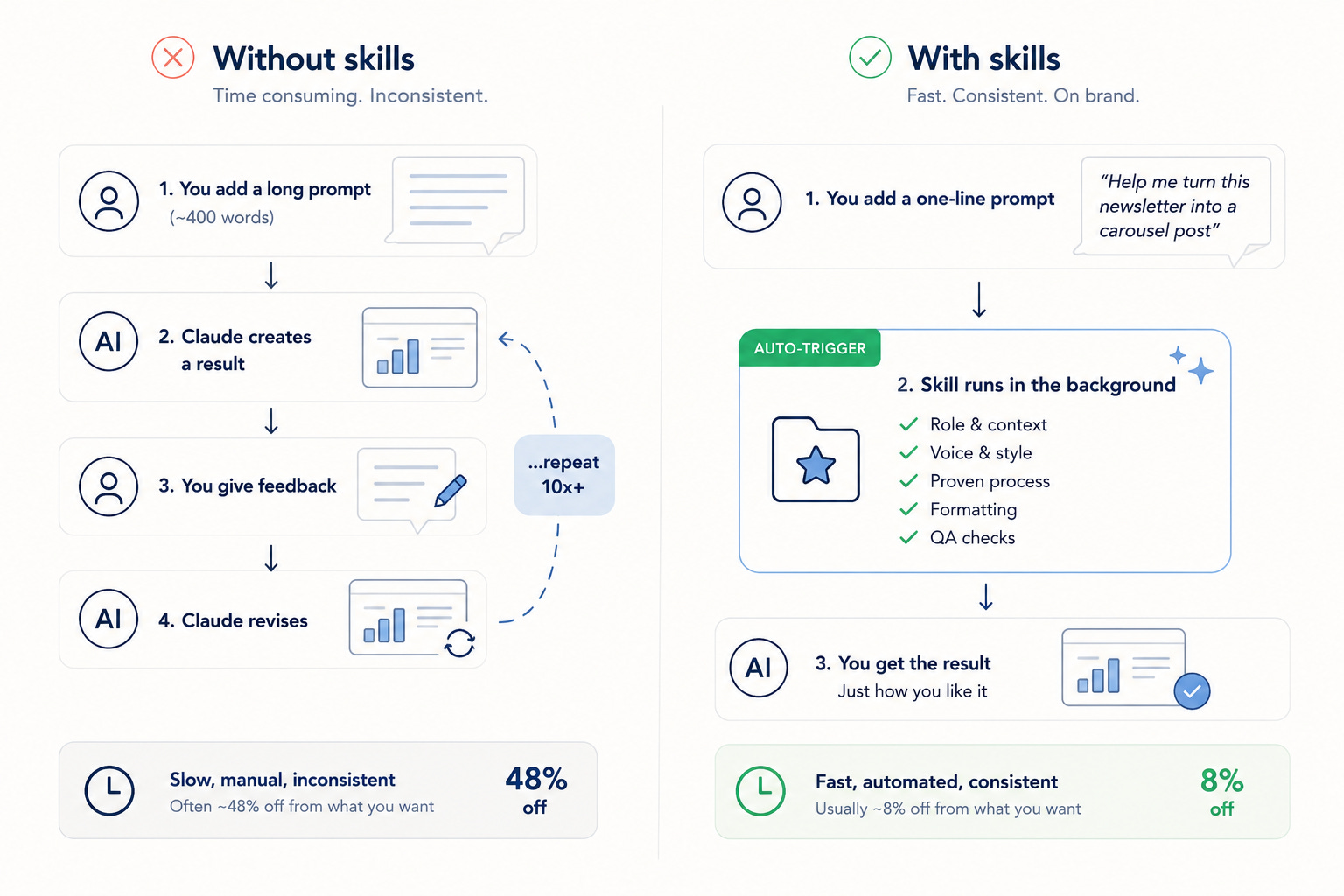
You’d write your 400-word prompt, get a result, give Claude feedback, revise ten times, and finally land somewhere close to what you wanted. Maybe, if you were smart, you’d update the prompt for next time. But the next session, you’d repeat the process again. Even the same prompt generated completely different outcomes.
With a skill, you write a one-line prompt: “help me turn this newsletter into a carousel post”. The skill auto-triggers with everything it needs to work the way you like, and you get something that gets you 80% of the way there, rather than 48%.
But this is all a bit abstract, so let me bring it to life a bit more.
The bigger picture
Go back to your first job. Picture your team.
Ignoring the flyer deliveries, babysitting, and netball umpiring I did from ages 8 to 14 to scrape together pocket money, my ‘professional’ career started as a sales assistant at Bakers Delight at 14. This was where I first understood what it actually meant to be trained to do something specific.
Maybe you were at McDonald’s, manning the registers for two hours while Tom made the burgers, Ella fried the chips, Laura pumped the soft serves, and Kai mopped the floors.
Each person has one job they've been trained to do well, to a specific standard, in a specific way. The better each of you are at your particular job, the better the whole restaurant works.
Skills work the same way. Each skill covers one recurring task, trained to your standards, ready to run whenever you need it.
And just like a good employee, a good skill can adapt. Move your McDonald’s register operator to a new McDonald’s and they can still run the registers. Same skill, new location. Give them a job manning a Bakers Delight register and they’d adapt: they have a trained process and enough context to adjust.
That’s what Claude does with a well-built skill. It applies principles, not a rigid step by step process.
A skill trained to turn newsletters into carousels can apply the same process to a podcast transcript. A skill trained to review your writing can run on a landing page you’ve just drafted. Same training, adapted to context.
So where would it break down? Maybe if I tried to make a register operator bake bread (the skill is no longer relevant). Or man the counter at a Michelin star restaurant (completely different context).
Skills have limits. Knowing those limits is part of using them well.
What all of this comes to is a simple mental model:
Skills are SOPs for AI.
You capture how a recurring task or workflow gets done once: inputs, steps, output, quality checks. Walk through the process with Claude, give feedback, and suddenly that task is off your plate.
Just like a human can adapt an SOP to specific situations, AI can do the same. Claude has real cognition and reasoning, so you get much more freedom than running a fixed automation.
Hopefully you’re starting to see the possibilities here.
Technically, you can build a skill for anything. But the best approach is to think about the tasks you repeat every week.
Writing content in a consistent format
Turning long-form pieces into social posts
Reviewing your own drafts for quality checks
Running reports and analysing the data for patterns
Synthesising research notes or meeting transcripts into something you can actually act on
Every one of those is a skill waiting to be built. I’ve put real examples for you of the skills I run at the bottom of this newsletter.
Creating your skills: the three methods
Now that we have the surface level understanding complete, lets get a little bit more practical here.
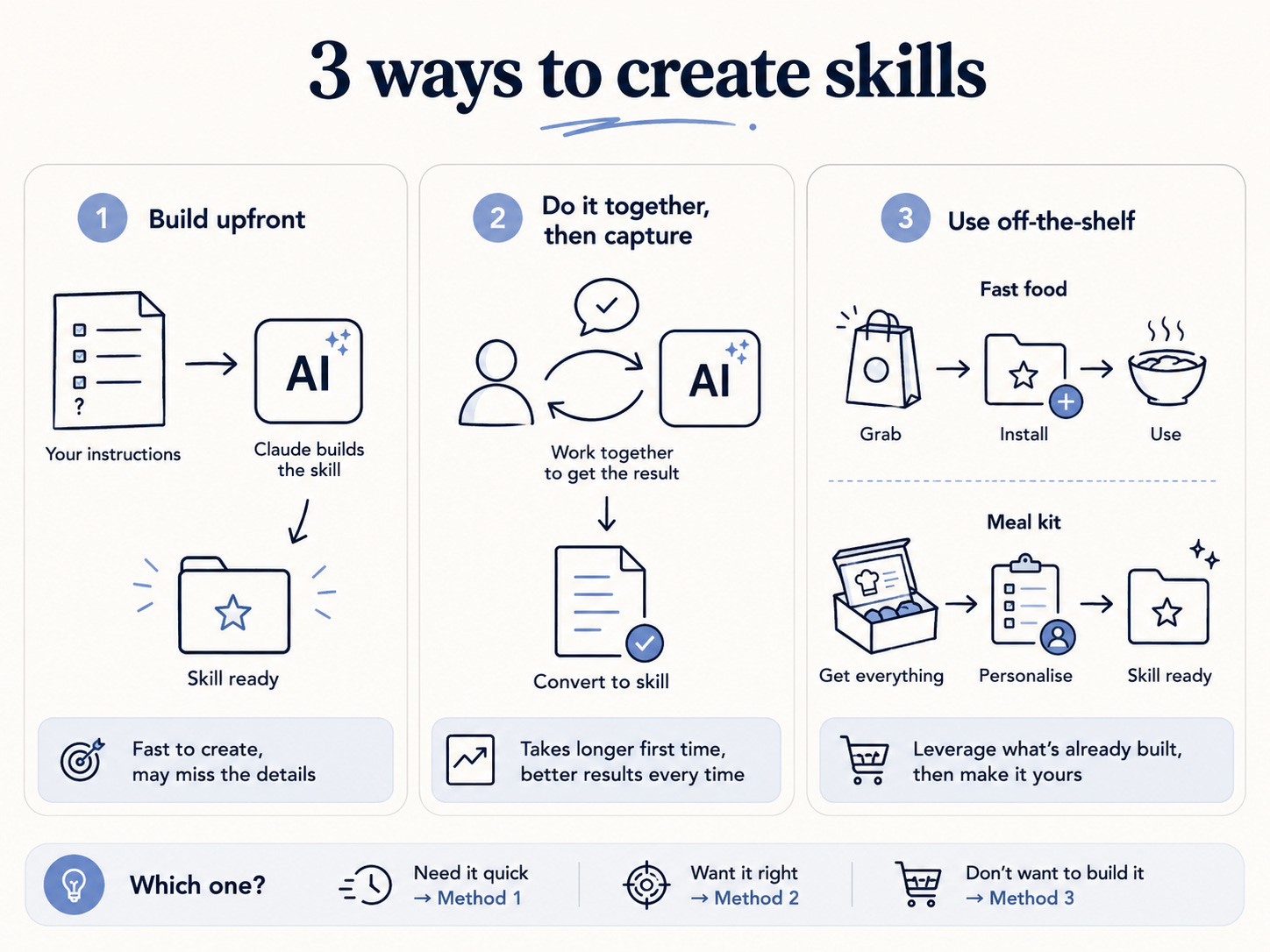
Reflecting on my own experience with skills, I’ve found three main methods for building a skill. But there’s one I almost always recommend above all others. Let me explain why.
Method 1: Build the skill upfront
If you have a set prompt you use again and again, a structured SOP, or a collection of reference materials you want to emulate, you can ask Claude to convert it directly into a skill.
It’s quick, but things get lost in translation.
Think of handing a partner your family’s recipe book and letting them cook while you’re out. The dish might come out well. But there are a hundred small decisions embedded in that recipe you never wrote down because you learned them by making it. You assume it’s obvious that the zucchini should be cut lengthways, but your partner cuts it in circles. You only season at the end, but your partner does it at the start.
You know these things because you’ve made the dish a hundred times. Your partner guesses and it’s fine, but it’s not quite right.
When you build the skill upfront, Claude uses its own judgement to fill the gaps. Your instructions are optimised for how you think the process will work, not how AI actually does things. For a skill you’re using every day, that’s a lot of accumulated frustration and a lot of rework.
So only use this method when you have a very tightly scoped task where you’re super clear on the output (and have real examples of what ‘good’ looks like).
Method 2: Do the workflow, then convert it into a skill
This is my default recommendation for almost everything.
Sit down to do the work with Claude the normal way. Iterate until you get an output you’re happy with. Then, at the end of the session, ask Claude to write up what you just did as a skill.
This is the equivalent of making that family dish with your partner rather than just handing them the recipe and leaving. The downside is that it takes longer the first time: you’re in the kitchen cooking together. But the skill that comes out the other side is based on how you actually do the thing, not how you think you do it.
When you’re ready to convert a workflow, use this prompt:
We just worked through [describe what you did]. I'd like you to turn this workflow into a skill so I can run it the same way next time.

CHOOSE EITHER:
A) Pull out the underlying principles of what we just did so you can adapt, rather than making it over-prescriptive.
OR:
B) Follow this exact process step by step.

Then write the full SKILL.md file.
If you want your task to be completed in an identical way every time (for example, creating a meeting summary) use option B.
Most of the time however, you’ll want Option A. I’ve made the mistake of training Claude on my Instagram carousels and getting an almost identical carousel structure (I’m talking down to the exact title format) every time, regardless of the newsletter it draws from. By building the skill around first principles, Claude can apply the same process to different situations in a way that’s still structured, but adaptable.
Method 3: Off-the-shelf
What happens on those nights you can’t be bothered cooking? Or you come across an amazing recipe someone else created that you don’t want to build from scratch?
That’s where our off-the-shelf comes in, and I like to think of this in a two different ways:
1. Fast food
You grab the food and eat it immediately. In skill terms: you install something someone else built with no process to personalise or adapt it to your situation. Fast, convenient, super tempting, but usually not the best for you long-term. Though in saying that, just like a good GYG chicken burrito bowl, you can find exceptions. High-quality skills that genuinely work for you without the consequences.
2. Meal kits
You order HelloFresh. Every ingredient with exact measurements and recipe card is delivered straight to your door. All the hard parts done for you.
For skills, this looks like a high-quality skill with a guided setup process. Someone else has already figured out the principles and built the structure. But when you install it, there's a tailoring step: Claude asks you questions to personalise it to your context before it starts doing the work. You're not eating someone else's food. You're making their recipe adjusted to what you actually like.
This is what I’ve built into every prompt released through the Claude MBA. The skill comes with instructions, and the first thing it does is ask how you work.
To install a skill someone has shared: download the file (zip or .skill format), go to Claude, then Customise, then Skills, and upload it.
Your inspiration hit: the skills I use & love
People are surprised when I tell them I don’t use AI to write my content. I think trying to outsource your personal brand to AI is a pretty terrible idea (for non-personal brand based content, that’s definitely a different story). But I still use it heavily throughout my content creation process, specifically to increase the reach and virality of what I’m already writing. These three are the ones I use every week.
Humanise-text
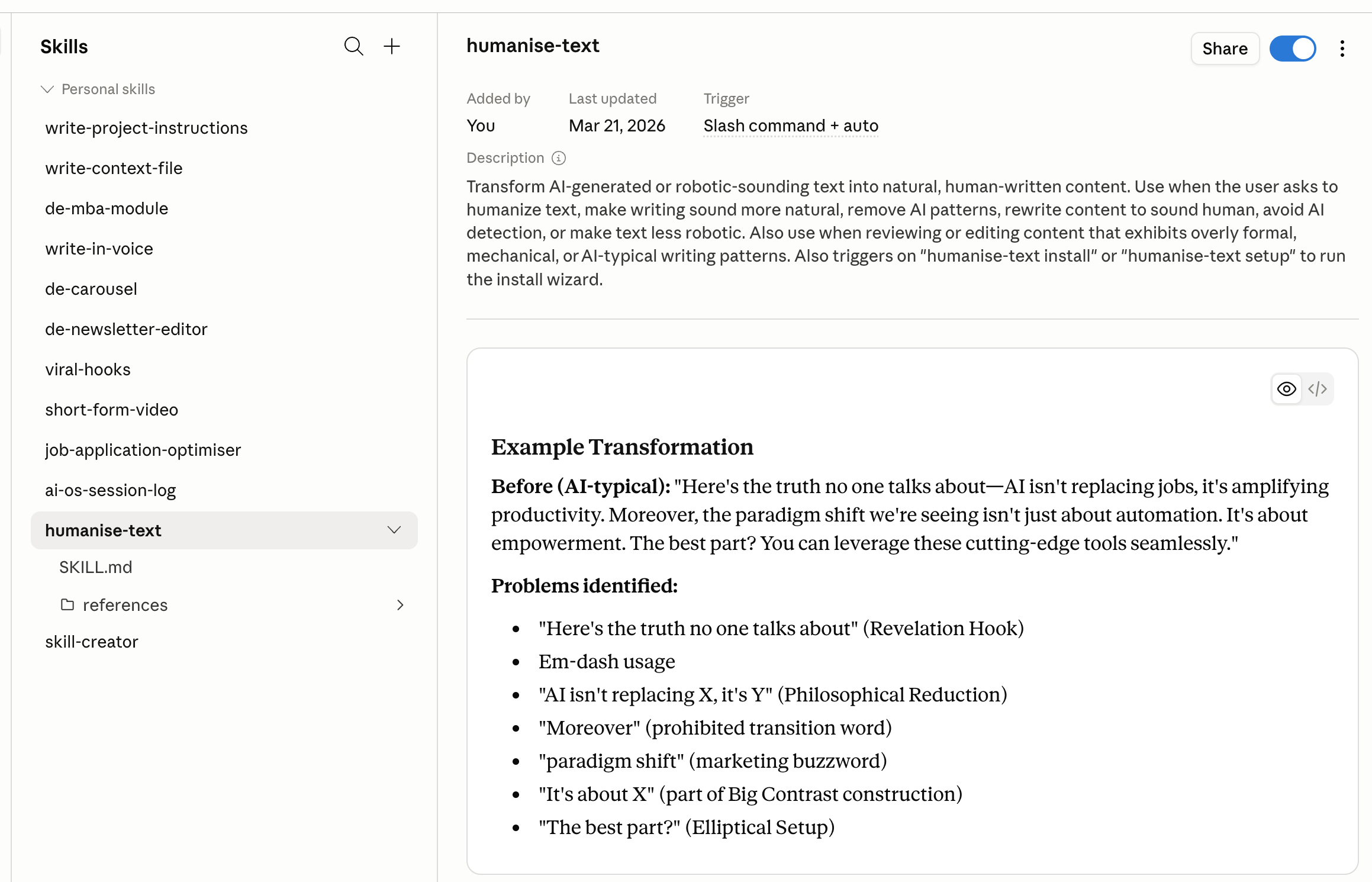
Undoubtedly one of the best skills I’ve come across. It breaks down the most common giveaways of AI-written content and gives Claude specific suggestions to fix them. If you’re using AI at all in your writing process, this one’s worth installing.
Paid subscribers, check our subscriber chat for this skill - I’ve shared it with you there.
Newsletter editor:
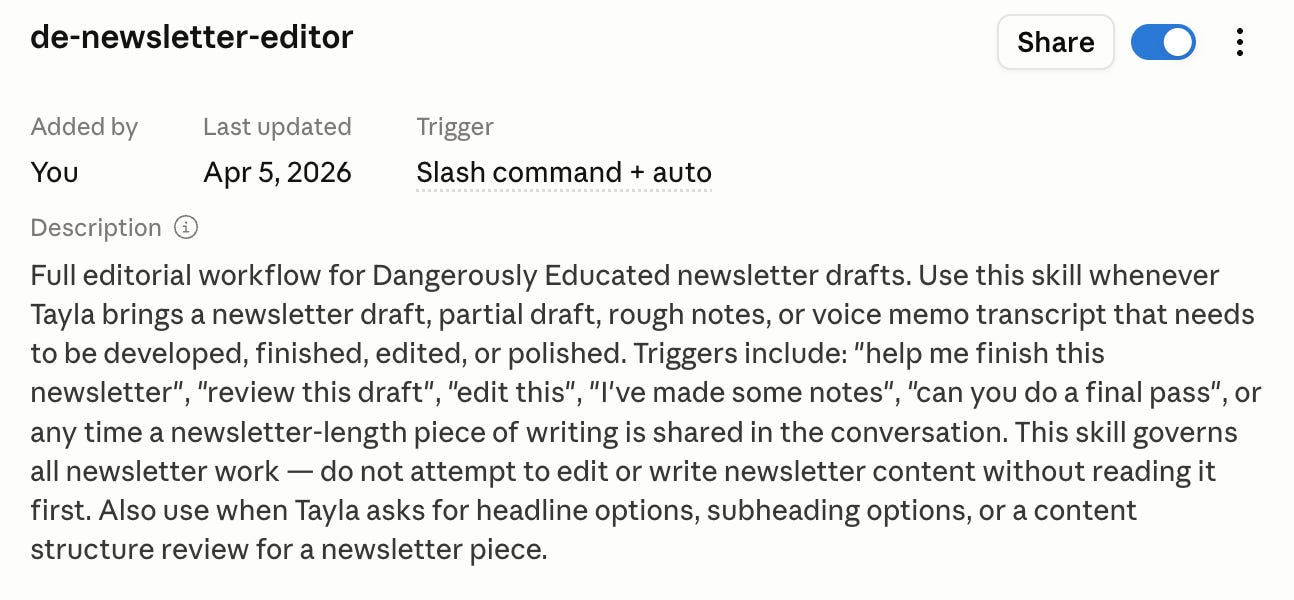
I started writing this newsletter in a coffee shop. But right now I’m sitting in bed on a Saturday afternoon (and as I’m doing my final edit, I’m sitting at my kitchen table at 7pm at night). Working in the gaps of my days means my writing process can sometimes get a bit messy. So I built this skill to help.
It takes my drafts, does a line-by-line editorial pass covering structure, content, grammar, and voice. Most importantly, it generates headline and subheading ideas. Which, based on how many of you have told me the subject line is what makes you open it, matters more than I used to think. (The last thing I want is to spend 8 hours writing a piece just for no one to read it because of a bad headline).
Quick note: Please know that I’m not sharing the rest of these skills as they’ve been built over 6+ weeks from my own content, iteration and preferences. Creating sharable versions is something I’m exploring but haven’t nailed yet.
Instagram carousel generator:
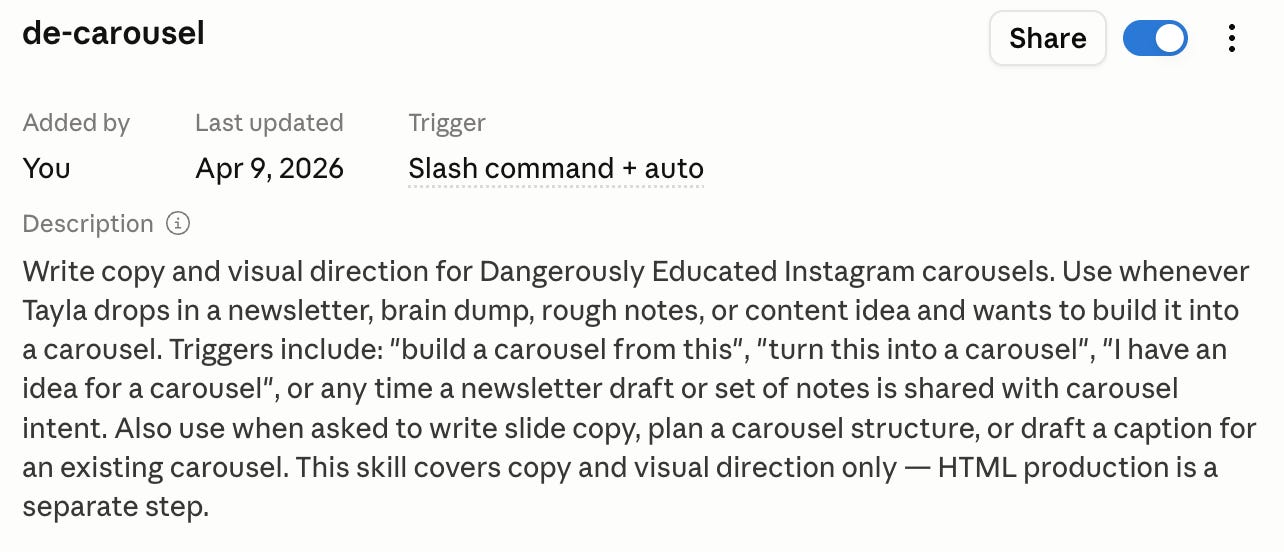
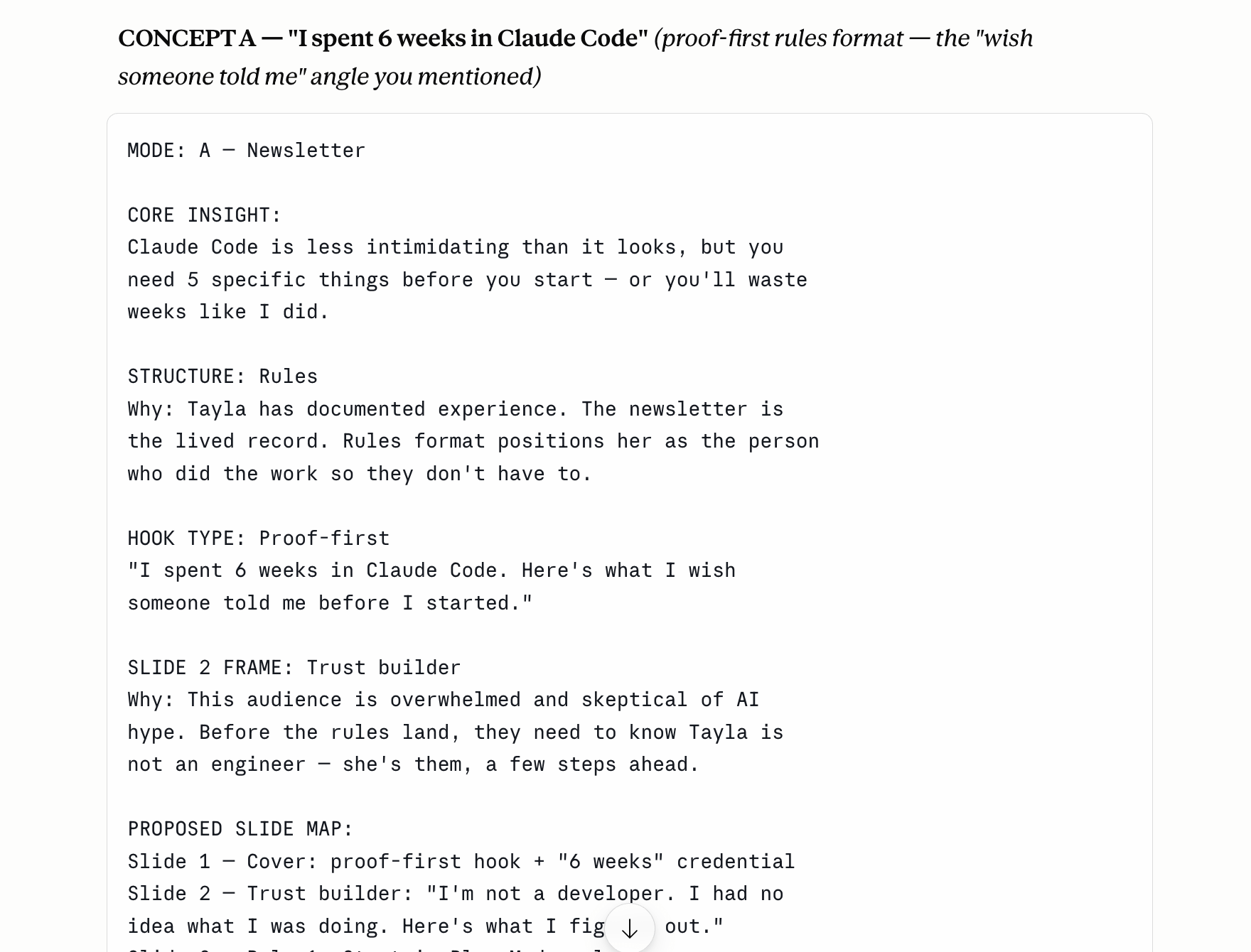
I built this skill after creating several carousels that performed well and wanting a thought partner for turning newsletters or brain dumps into new ones. It reviews the topic, suggests an angle and structure, waits for my feedback, then builds out a recommended outline. I use it as my starting point. The newsletters are already written. I’ve already done the work. This speeds up the process of getting more distribution out of them.
Short-form video optimiser:
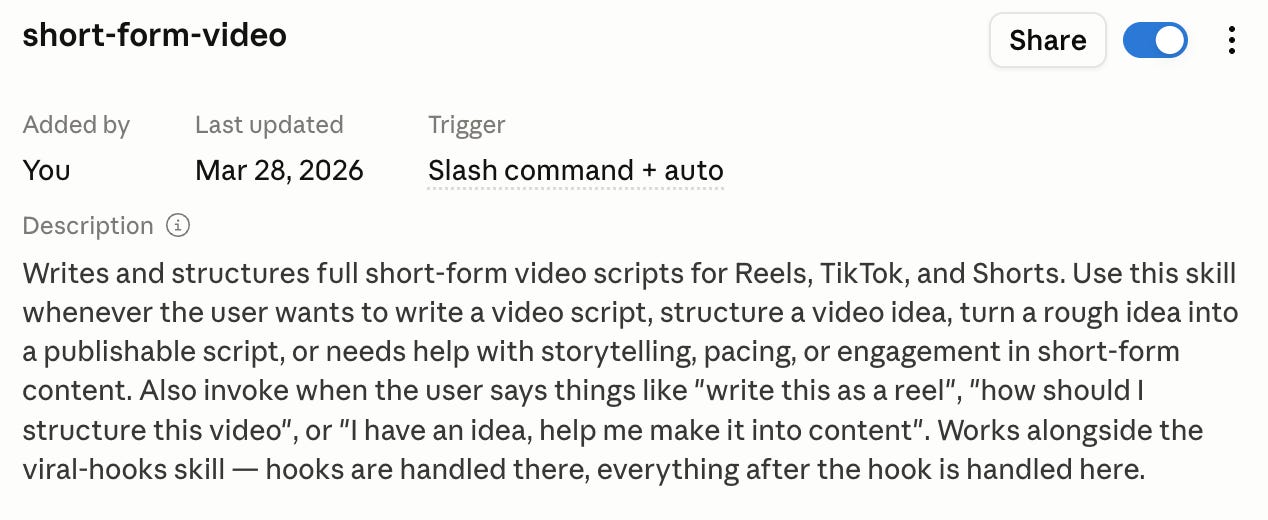
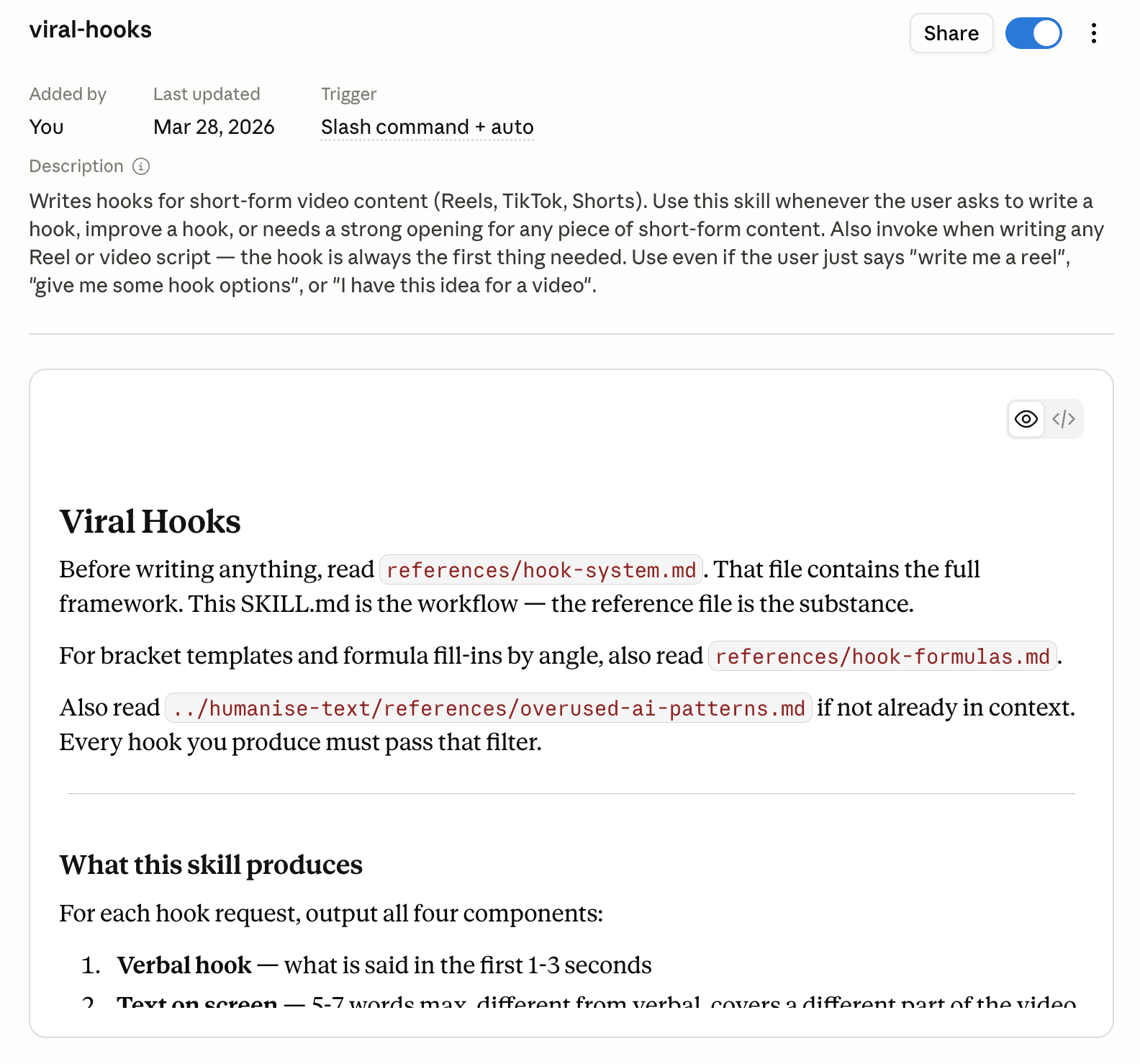
Good old Instagram reels. We have a love-hate relationship. There’s nothing worse than spending 3 hours writing, filming and editing a video just for it to flop. So this skill finds ways to take an existing script and strengthen it: better hooks, curiosity loops and places to hold attention longer.
Weekly AI Use Roundup
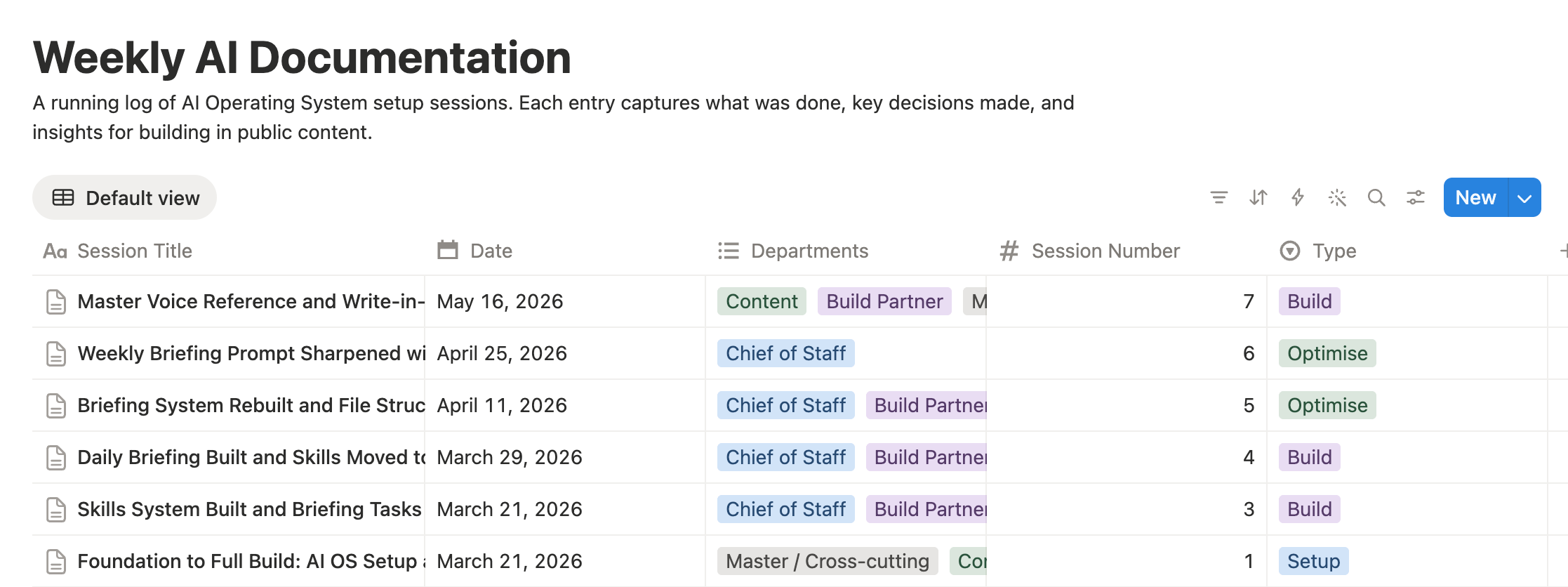
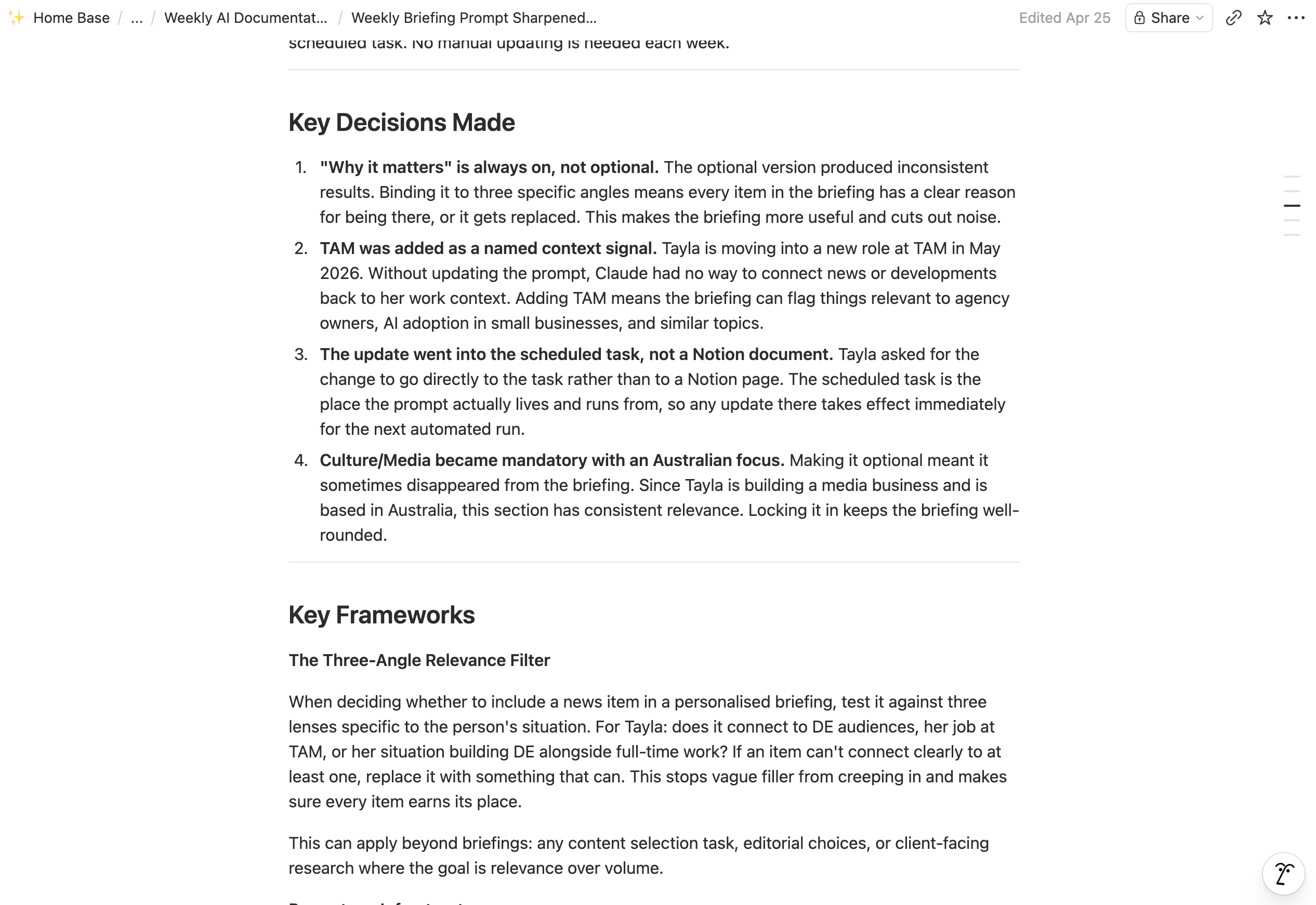
I created this skill to document everything I was building and doing with AI. It reviews what I’ve done in the past week and writes a summary covering:
The starting point: the situation before the session and the goal
What we did: a clear account of every meaningful action taken, including any frameworks or models that came out of it
Key decisions and the reasoning behind them
What’s next: specific next actions that follow directly from the session
There’s a lot of AI hype out there. But skills are the one thing I don’t think the hype does justice to. I honestly could not be doing what I am doing now without skills. If you can build these, your entire work life gets easier. You can build skills that literally act as your own AI employees - hired to complete specific tasks you hate most or spend way more time on than you need to. But this only works with the right system and setup.
The Claude MBA Action Plan walks through exactly how to get started with your personal Claude setup. If you haven’t downloaded it yet, grab it free by subscribing. If you have, Phase 6 is where to go next.
And if you’ve been working through the MBA, leave a comment and share what your favourite part has been!
This is free because I wish someone had handed it to me. If it helped, pass it on - send it to the work bestie who keeps saying they want to build something, or the group chat that was going to start a business together.
Thank you! I’m loving the Claude MBA. I just started Part 3 yesterday. For skills, I’ve been using a couple of AI tools to proofread; suggest titles, subtitles, and tags; and develop a 30-day content arc. I feel like I’m in the editing room of a magazine working with the different tools. Since I loaded my brand and voice, I get such helpful feedback when I’m saying things in a clunky way or when I come with partly formed ideas and inspiration to take the next steps. It’s so helpful. I look forward to building this activity into a skill! Thank you for sharing your knowledge and making this program so accessible.
This is great, thanks for sharing! I’ve been doing exactly this. Have Claude interview me, understand my role and workflows and then turning those into skills or even plugins. You basically built your own OS.