
13 *actually* useful things you can do with Claude Cowork this weekend
How I turned Claude from a chatbot to a real agent that runs my business and personal brand

Welcome to the 1,135 of you who have joined us since last newsletter! I couldn’t be happier to have you as part of this community. Claude has kindly given us double limits for Cowork for a limited time only. Almost everyone I speak to gets stuck with what to actually use Cowork for, so I built this library to give you some of my best ideas. Enjoy, and feel free to share with a friend or coworker it might help.
Last weekend I went to open Claude Chat to draft a quick caption for an Instagram reel, and I sat there for a second trying to remember the last time I’d actually used it.
Three days. Maybe four. Which is wild, considering I spent six weeks building an entire Claude MBA Action Plan around it. But I now run about 80% of my work through Cowork and am utterly obsessed. I barely open a normal chat anymore and don’t think I could go back.
However, if you’re just getting started with Cowork, you’ve probably run into a problem.
The first thing I ever set up in Cowork was a daily brief with my priorities, inbox triage, and a news rundown waiting for me at 6am. It felt like magic for about a week, but I had no idea what else to do next.
Everyone shows you the daily brief, desktop organisation and competitor research (I have no idea who actually wants to analyse their competitors on a daily basis…). But after building things that honestly saved me over 10 hours a week, I promise you that those use cases are just scratching the surface.
The only thing holding you back is vision.
It’s hard to build things when you don’t know what’s actually possible.
So this whole edition is the picture: a library of the use cases I actually run with Cowork that I think are worth your time.
From 5 June to 5 July, Anthropic have doubled the Cowork session limits on Pro, Max and Team plans, which means more room for Claude to do long, background work for you, free, for a few weeks. I do not want you to let that window pass running the same daily brief as everyone else, which is exactly why I’m sharing this now.
I want to say upfront, most of these get dramatically better once Cowork understands your context extremely well, and has the skills set up to execute properly. That will be next week’s newsletter. For now, I want to give you a starting point so that when I hand you the system, you already know what to do with it.
P.S. I’ve also included a prompt at the end that you can use to get Cowork to reveal your own personalised use cases, based on what it knows about you.
The high-value tasks I never see anyone post about
I never see these in a Cowork post, but they’re the ones that changed how much I actually get done. Take these as inspiration and customise to your situation.
1. Build a CRM from a year of your email.
Connect Cowork to your inbox and have it read back through your last 12 months of emails, then build you a proper CRM in Notion. Every client, prospect, brand sponsor, partner, colleague and collaborator, with the last time you spoke, what it was about, where the relationship sits, and who you owe a reply. This is the job you know is valuable and have been meaning to do for a year, but never had a free weekend for. It runs in the background while you do something else.
To brief it: connect Gmail and Notion, tell it your categories and the fields you want, and let it run.
2. Have it audit everything you have ever published.
Give Cowork your website, Instagram, Substack, ad library or whatever social platforms you use and ask it to audit everything by doing a SWOT analysis and giving you a prioritised list of recommendations. This will tell you what’s performed well and why, what’s flopped and why, where opportunities lie that you’ve missed, and any threats you should keep an eye on. It is an outside eye on your own presence, except this eye has read every word you have published (and can compare it to everything else out there on the internet).
To brief it: give Cowork context about your business or brand, plus the links to the channels you want analysed. Ask for an in-depth SWOT analysis plus a ranked recommendations list.
3. Find the patterns hiding in your transcripts
If you record your calls through Fathom, Zoom or anything else, you are sitting on a gold mine of insights you have probably never actually read back through.
Feed a batch to Cowork and ask it to find the patterns.
For sales calls, have it compare the ones that closed against the ones that didn’t
For client calls, it can pull the pain points and ideas people keep mentioning, which is basically free product research or content inspiration from conversations you have already had.
For meetings, you can use it to track sentiment over time and see whether things are getting better or worse before anyone says anything out loud.
I have also gone back through recordings of my own teaching sessions and asked Cowork to extract the frameworks I was explaining out loud but had never written down. What came out of that went directly into building course modules I would have taken weeks to draft from scratch.
The value is the stuff you know is in there but would take days to find manually. You give it the pile. It brings back the report.
To brief it: upload the transcripts or paste them in, tell Cowork what you are looking for (performance patterns, content ideas, recurring themes, sentiment), and ask for a structured report with the top findings and any recommendations based on what it found.
4. Tear down what is working for everyone else.
Because Cowork can actually use a browser, it can go and look at what is working in your niche and bring it back.
Top organic posts
Hooks people keep reusing
If you run ads, the live ads your competitors have sitting in the Meta Ad Library, the angles and offers they are spending real money to keep running.
Organic or paid, you get a teardown built on what is actually performing to help inform your strategy. Combine this with number 2 for an incredible strategic analysis.
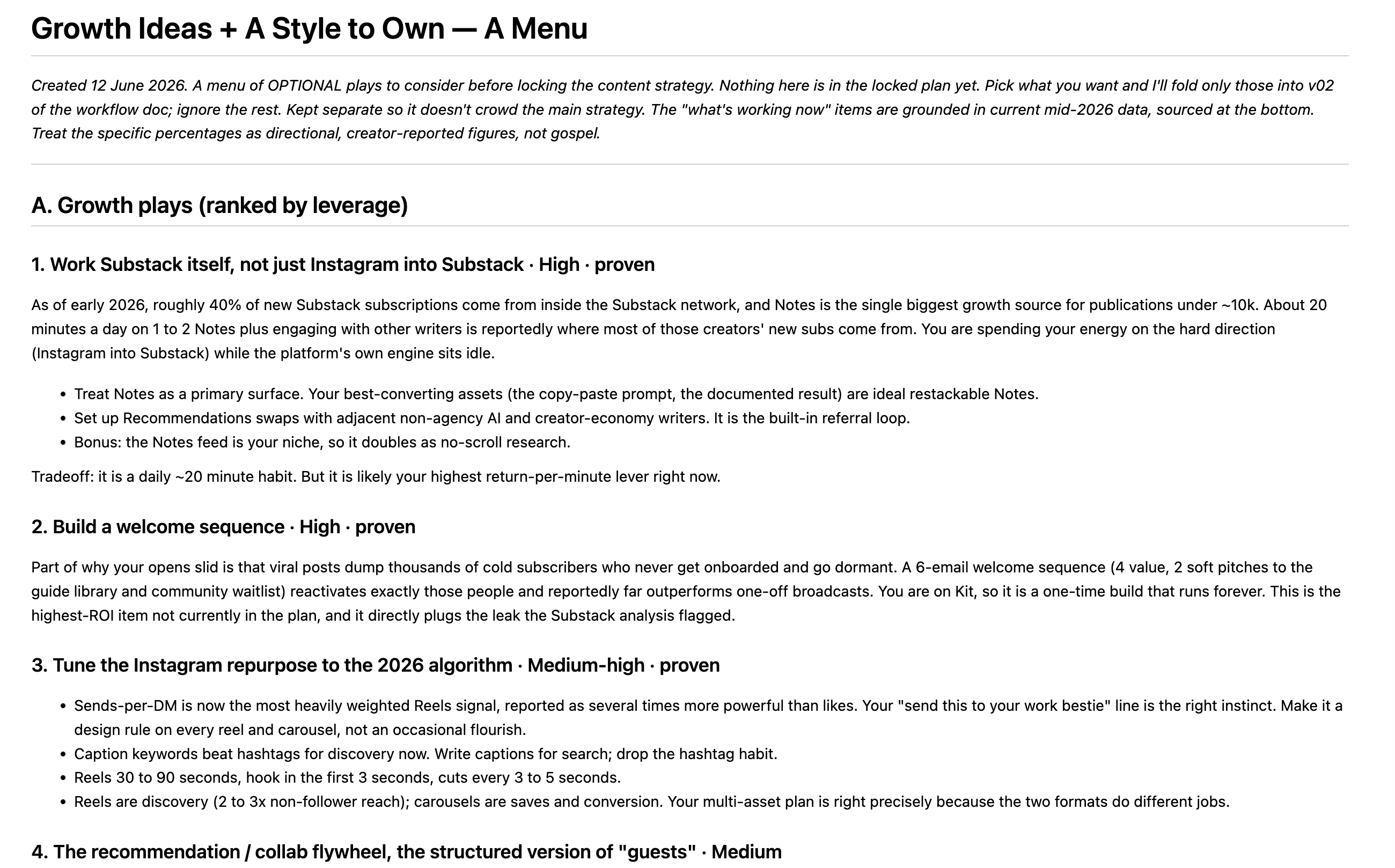
To brief it: name three or four competitors and your niche, and ask for the recurring hooks, offers and angles, plus what you would do differently. Alternatively, you can ask it to look for broader best practices across your platforms of choice.
5. Build the brain that makes everything else better
This is the one I would start with. Cowork interviews you about your business, your audience, your voice and how you work, then writes the context files that load every time you open it. After that you stop re-explaining yourself every session, and every other job on this list gets sharper because it finally knows who it is working for. This is the foundation of the system I mentioned, and it is exactly what the next newsletter breaks down in more detail.
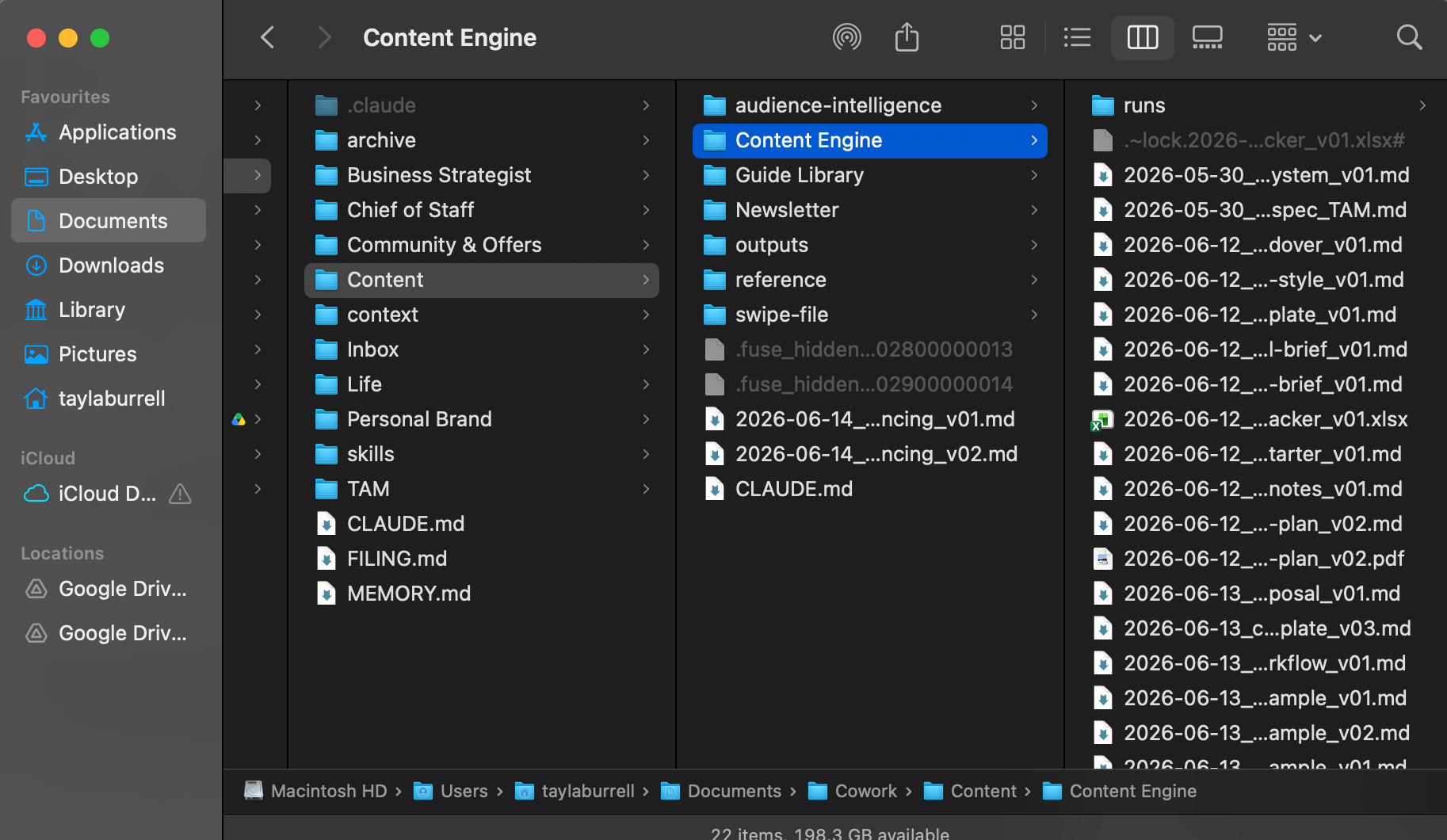
To brief it: I’ll share a more in-depth guide next week, but if you want to do this now, tell Cowork you want to build an in-depth second brain with all your context loaded so it can perform better. Ask it to interview you area by area, then write each file.
The tasks that run in the background
This category is all about the repetitive tasks or insights that keep things without your conscious effort. Choose a few that will create the most value for you, set them up once and run them on a schedule.
6. A trend brief that gives you a first-movers advantage
This is a short brief once per week on what changed in your space, pulled from the sources you trust so you are not doomscrolling to stay current. The real value here is getting onto things early, not just keeping up. The people who move first on a new release, trend, news story or angle always get reach, because all humans have proximity bias. We’re wired to give more importance to people, things, or events that are physically closer to us in time or space. This is why the news (especially negative news) goes so viral. If you can be the first to share this news with your own informed opinion, you’ll not only get more traction, but also gain the authority that’s so vital for long-term brand building. A weekly brief is how I attempt to stay one of the early ones without living on my phone or watching the news.
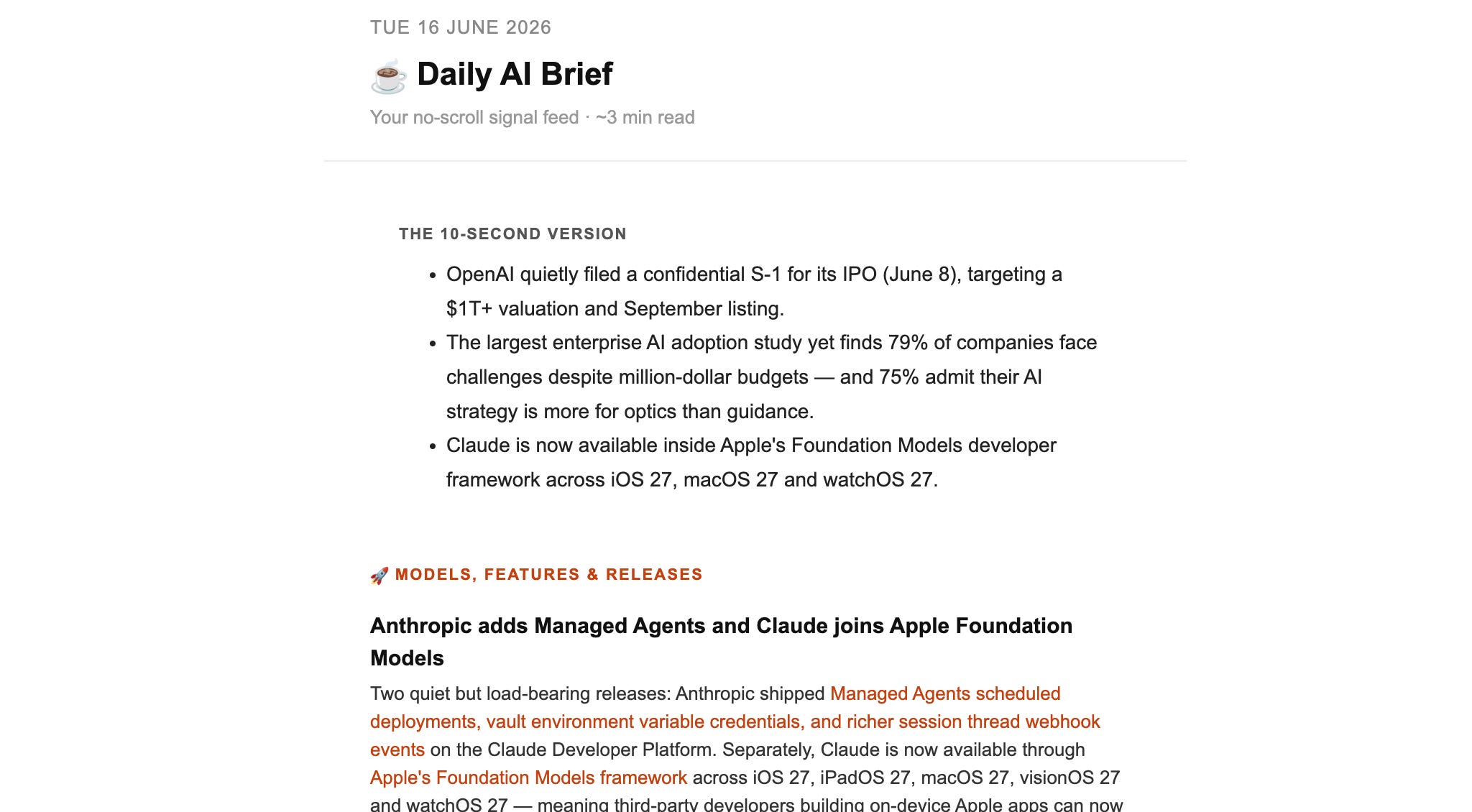
To brief it: tell Cowork your space and the things you care about, four or five sources and the objectives of this brief (for me, this is what changed and why it matters to me and my audience).
7. An inbox that drafts in your actual voice.
Most daily briefs triage your email but draft replies that sound nothing like you, which is why you end up rewriting them anyway. So do this in two steps.
First, have Cowork read your last thirty sent emails and write you an email voice guide, broken down by category: how you reply to a client vs a cold pitch vs a friend vs a colleague. Save that as a skill.
Then set up the inbox brief. Ask Cowork to triage your inbox based on importance, give you the summary and draft responses to emails that need it using your newly created voice skill.
8. Your numbers in one place.
Pull your numbers into one weekly view. This could be social media analytics, P&L reports, web traffic, sales reports, or anything else you might normally track in a spreadsheet.
I have recently been experimenting with Metricool, combining their analytics with Cowork to see how deep the insights can actually go. I’m still integrating this into my workflow, but if it turns into something genuinely useful I’ll share more on this soon.
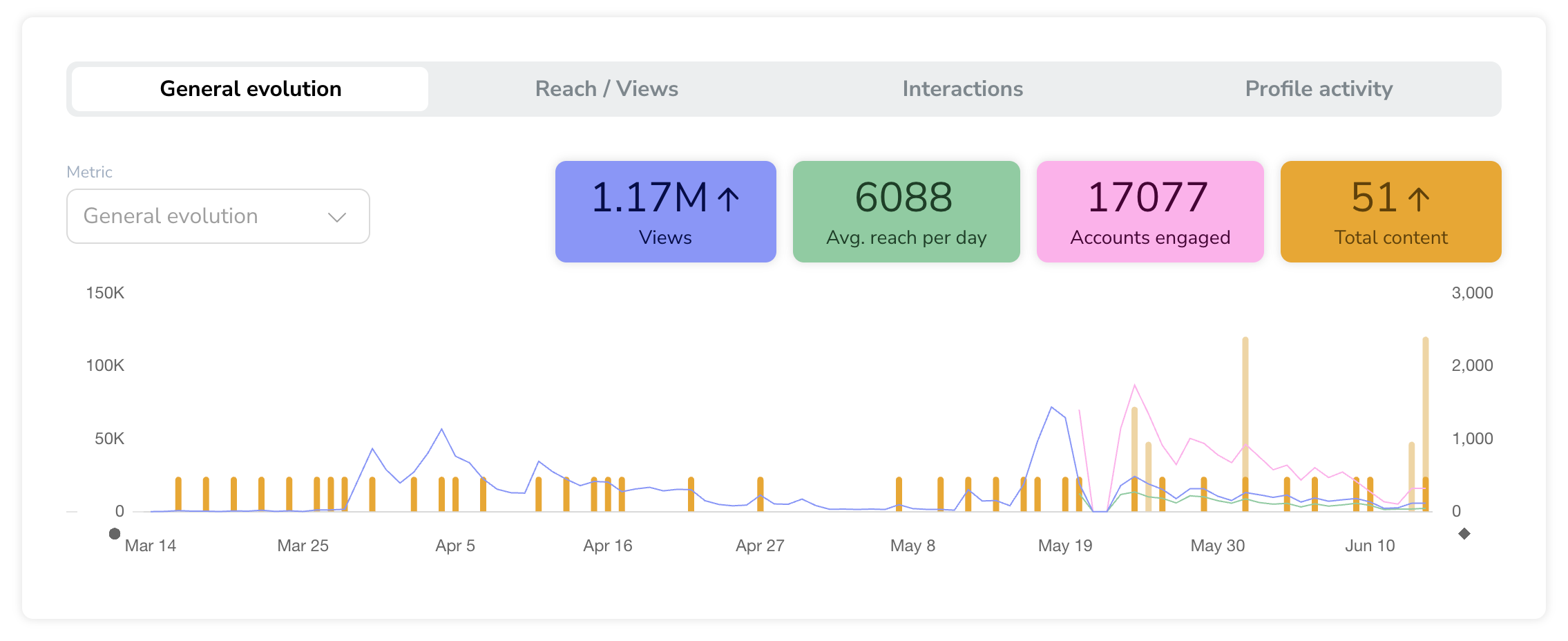
Claude’s integrations with Shopify, Stripe, email software like HubSpot, project management tools like ClickUp and Monday, and more make the possibilities almost endless here.
The easier you can make these weekly reports, the more likely you are to actually look at the numbers. To brief it: tell it where each number lives, and ask for an analysis of the past week’s performance against last week, a 6-month average, and industry benchmarks.
9. Turn the work you are already doing into content.
This one is my favourite for anyone who is a time-poor, part-time creator and keeps struggling with the ‘I don’t know what to post’ or ‘I don’t have time to create something from scratch’ problem. If you use Cowork for your actual work (i.e. a client project, marketing campaign, research, product launch or any other build), it can review what’ve done across the past week and pull out the moments that might be worth posting about.
You are doing post-worthy things all week, you’re just not capturing them. A conversation you had with a client that you didn’t think twice about could be an insanely valuable post. This helps you work through your own blind spots and busyness.
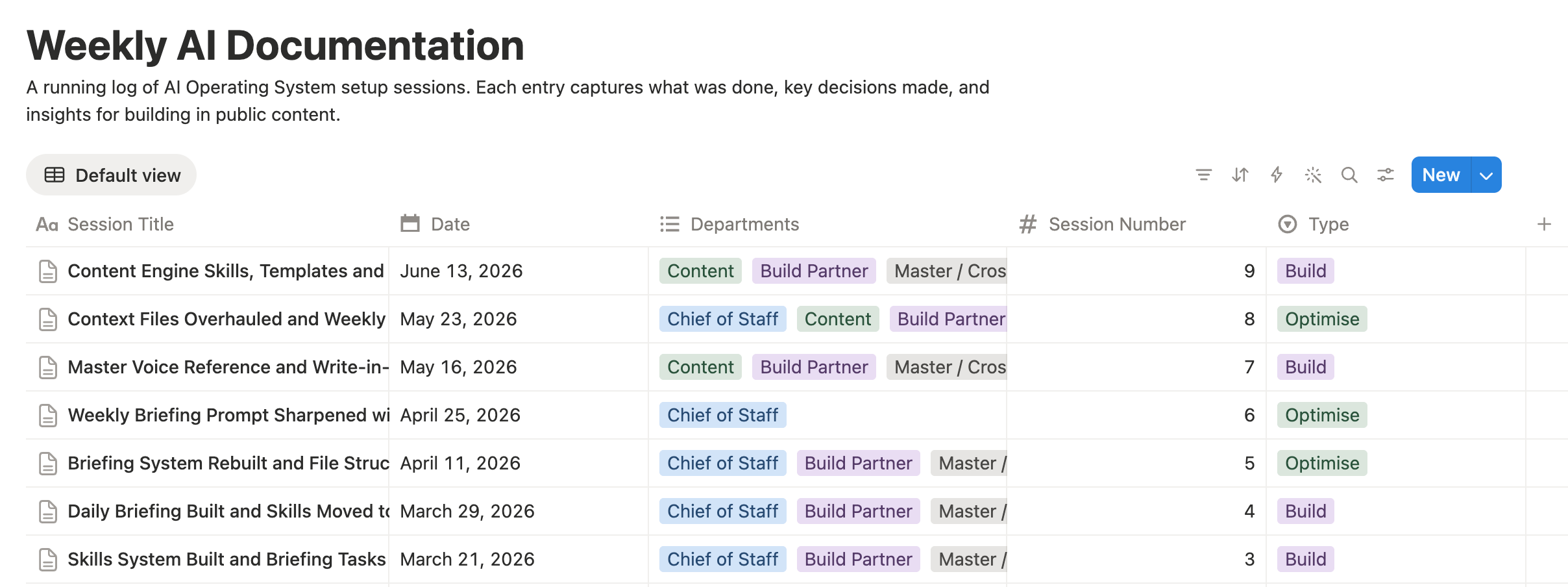
To brief it: ask Claude to create a scheduled task that runs once each week. It should look back at the work you did that week (including conversations in Cowork), pull out post topics that align with your content strategy and audience, and draft ideas for you. As with the other use cases, this works best when Cowork has your context set up in the right way.
The ones you will reach for again and again
10. Repurpose one thing into everything
When I finish writing this newsletter, I’m going to take it to Cowork, and it will turn it into a carousel, reel script, LinkedIn post and Substack note. With just one prompt.
I want to be honest about why this works for me though, because it’s definitely not magic. I have specific skills built just for my repurposing for each specific platform, strong references of my best past work loaded in, and a voice guide I have been refining for months. Without that, Cowork will absolutely destroy your work of art into generic slop that sounds like everyone.
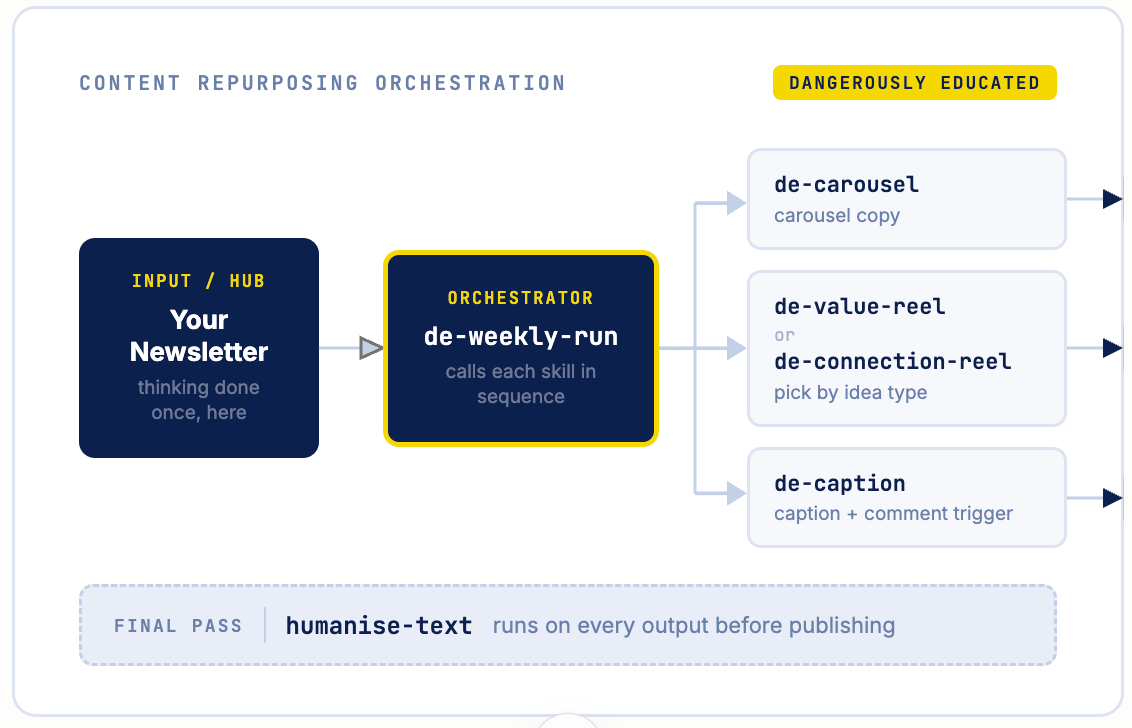
It takes time to set this up, but if you’re regularly using a ‘hub and spoke’ model, where you create one long-form newsletter, podcast, webinar or YouTube video, it’s well worth doing. I can’t tell you how much time it’s saved me.
11. Build that Notion system you keep meaning to build.
Cowork doesn’t just fill in a Notion database, it can design, build and populate the whole thing: a content calendar, a CRM, a tracker, with the relations and views set up properly.
I used it to build a Notion hub for the mini guides I am about to start releasing as a bonus to our normal newsletters. This is the kind of project I would’ve built myself in the past.
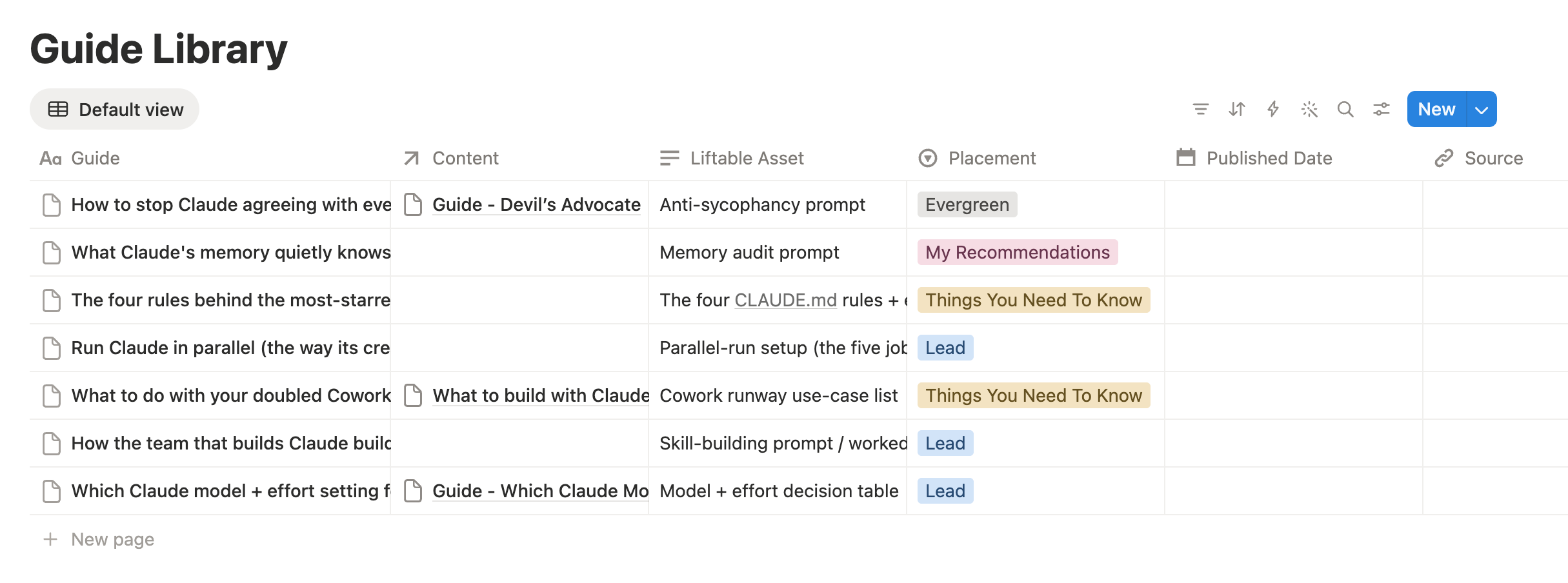
To brief it: describe what you want to create, the purpose of the setup and how you want to use it. Let it build the structure for you, then make the final tweaks manually.
And the ones that have nothing to do with work
Cowork can help with your whole life, not just work. A few things I’ve been thinking about building:
12. A health and habits dashboard
Have Cowork build and keep a dashboard of the habits you are trying to hold and the bigger goals they will help you achieve. You check in via a voice note, and it tracks the streaks and shows you the patterns. Yes, you could use an app, but the best thing about this is that you can customise it exactly how you prefer.
13. A reading and listening list that matches your goals
Tell Cowork what you’re trying to learn or get better at this quarter, and have it recommend the books, podcasts and essays worth your time, filtered to your actual goals instead of whatever is trending. Turn this into a scheduled task that researches recommendations across Reddit, Substack, YouTube and your favourite publications so you always know what to read next.
14. Bring order to your digital mess (Bonus!)
It’s a classic, but I have to include it because I still use it at least once a fortnight. Direct Cowork to your downloads folder and desktop, and have it sort, rename and organise the chaos. This is the kind of thing that you should never do manually again.
Don’t stop at my list, find your own!
I hope these 13 tasks have given you some inspiration and confidence to try some new use cases. The best thing about AI, though, is that you can completely tailor guides like this to your own situation. The use cases that will save you the most time are always specific to how you actually work, so paste this into Cowork (or Claude Chat if you use that most) and see what ideas it comes up with:
Look at how I actually spend my working week and find the jobs worth handing to you in Cowork.

If you don't have enough context, ask me about my recurring tasks: what I do every day, every week, and every month. For each one, ask roughly how long it takes, how repetitive it is, and how much I dread it. If you have access to my files, calendar or inbox, look there first so you are not asking me things you can see.

Then give me a shortlist of the 10 tasks that would save me the most time if I handed them to you. Rank them by time saved per week against effort to set up, so the easy high-value ones rise to the top.

For each one, tell me: what the job is in one line, what a good brief for it looks like, and whether it should run once, on a schedule, or on demand.

Then tell me to choose one to set up first, and help me implement it.

Start by reading this guide from Tayla at Dangerously Educated to get inspiration, but don't just repeat the use cases she's outlined.

https://taylaburrell.substack.com/p/a6cfb0ff-1f34-4cfb-8de9-fbe32bd8e2ad?postPreview=free&updated=2026-06-16T09%3A54%3A19.710Z&audience=everyone&free_preview=false&freemail=true
Every use case on this list works on its own. As you start adding more, the context you build compounds, and the time you save and quality of the results continues to improve. I honestly could not do what I do today - working full time and running this ‘creatorpreneur’ business without the systems I share here, so I’m really excited to see what you create.
If you’ve been using Claude Chat exclusively, or have been exploring Claude Cowork but don’t have a real setup yet, stick around for next week’s newsletter which will help you get started.
Just getting started with Cowork? Phase 4 of my Claude MBA takes you step by step through how to create your basic set up. You’ll receive it for free in your welcome email when you subscribe.
And if you’ve been chatting to a friend or colleague who’s also using Claude, maybe forward this to them. It’s the thing I wish I had had in week one.
I’d love to hear from you about your favourite Cowork use cases and which of these you want me to go deeper on. Reply or comment with the ones you are curious about, and I’ll turn the most-wanted into proper step-by-step guides.
Remember, the double limits run out on 5 July, so get building!
The best money-saving tips are usually the ones you can stick with for years, not the extreme ones you can only tolerate for a week.
These are really useful tips. Thanks for sharing!